How to use it.
Add a set. Listen. Flip the card. Grade what actually happened.
Add sets
Theme sets come with the app. On first open, pick one or more. The first lesson is a short pile, so you can start without importing anything.
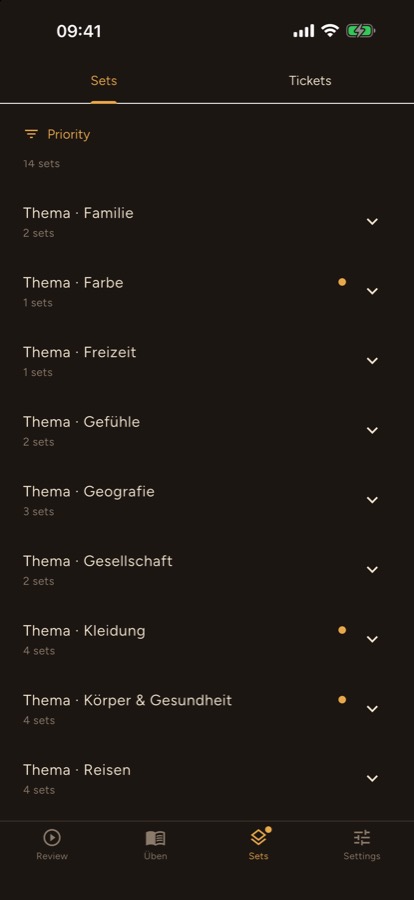
Lesson lists live on the Sets page. With the app installed, tap a volume name and it opens in Deutschkarten. Or download the file and, in the app, open Settings and tap Import set.
One card
On Review, tap Start. Listen to the word. Tap the ticket to turn it over. A swipe only counts after you have seen the answer.
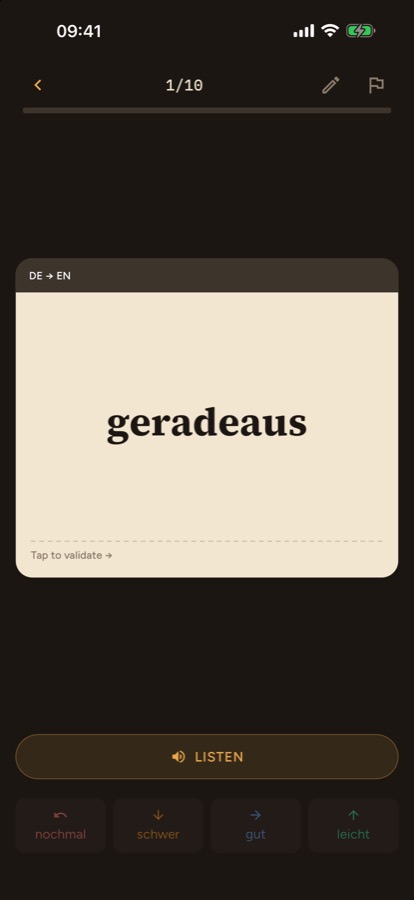
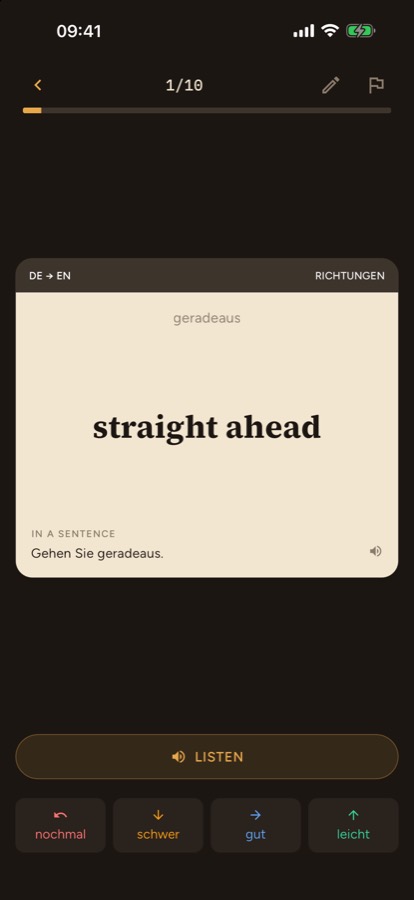
Swipe for the schedule, not for the feeling
This is not a dating app. Left, right, up, and down are grades, and the scheduler believes you.
- Left, nochmal. You did not know it. It comes back soon.
- Down, schwer. You got there, with effort.
- Right, gut. You knew it.
- Up, leicht. It was easy.
The four buttons under the card are the same four grades.
Grade everything gut and the cards stay away until you have forgotten them. Grade nochmal on a word you knew, and you will see it again today for no reason. The spacing works only when the grade matches what happened.
The schedule is FSRS. Each honest grade sets when that card should return, around the time you are about to forget it. Review what is due. That is the loop.